When a website feels easy to use, visitors rarely notice the navigation. When it does not, they notice immediately: they hunt for a phone number, click through three menus to find a service, and eventually give up. Navigation is the system of menus and links that helps people move around your site, and it is one of the most important parts of the user experience.
The good news for small businesses is that navigation does not need to be clever. It needs to be clear. Here is how to plan it.
Think about what visitors came to do
Before deciding on menu items, think about the reasons people visit your site. Most small business visitors want to do a handful of things: find out what you offer, see whether you serve their area, get a sense of your quality or prices, and contact you or book. Your navigation should make each of those one click away. List the top five or six tasks your visitors want to complete, and make sure each has an obvious route.
If you have access to Google Analytics, look at which pages are most visited. Combine that with questions customers ask you directly. What people actually ask is a better guide than what feels logical internally.
Keep the main menu short
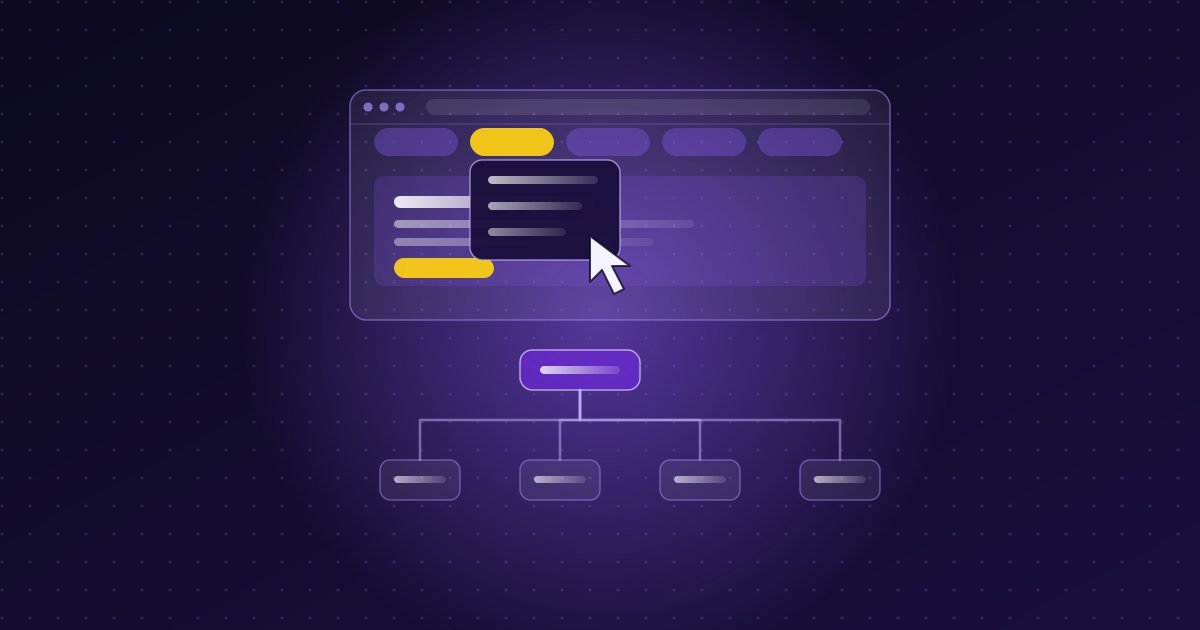
A long menu forces visitors to read and decide, which slows them down. For most small business websites, five to seven items in the main menu is plenty. A typical, effective structure might be:
- Services (sometimes with a short dropdown for individual services)
- Portfolio or Our Work
- About
- Blog or Resources
- Contact
Pages that matter less to most visitors, such as privacy policies or terms, belong in the footer.
Use labels people already understand
This is where many sites go wrong. Creative labels such as "Our Craft", "What We Do", or "Let's Talk" can be charming, but if a visitor has to guess what is behind them, you have made their life harder. Plain labels such as Services, About, and Contact work because they are familiar. If you offer distinct services, name them in the language your customers use. A visitor who is searching for "kitchen renovations" should see something like Kitchens, not a branded internal term.
Show customers where they are
Visitors should always be able to tell which page they are on and how to get back. Highlight the current page in the menu, use clear page headings, and consider breadcrumbs, the small trail of links near the top of a page, on sites with many levels. Keep your logo linked to the home page, since many people instinctively click it to start over.
Put the most important action within reach
Whatever you most want visitors to do, whether it is calling, booking, or requesting a quote, should be available from every page. Many sites make this a highlighted button at the end of the menu, such as "Request a quote" or "Book a visit". Display your phone number as text where it is relevant, and make it tappable on mobile. Our guide to turning website visitors into enquiries goes further on this.
Design the mobile menu on purpose
On phones, menus are usually collapsed behind a button, often shown as three horizontal lines. That is a widely understood convention, but it still needs care. Make the button large enough to tap comfortably and easy to see. Keep the opened menu simple, with generous spacing between items so that nobody taps the wrong one. Test it on a real phone, with one thumb, in daylight if possible. Because so much local browsing happens on mobile, this matters as much as the desktop version. See also our post on website speed and mobile performance.
Use dropdowns carefully
Dropdown menus can be useful when you have several related services, but they have downsides. They can be fiddly on touch screens and hide options that visitors might never discover. If you use them, keep them to one level, with a short list. Make sure the top-level item is also a clickable page that introduces the whole category, so that visitors on phones are not forced to navigate a maze. Avoid menus that open when you hover, since hover does not exist on a touch screen.
Add links inside your content too
The main menu is not the only form of navigation. Links within your pages help people move naturally to related information. A service page might link to relevant examples of your work, an article might link to the service it discusses, and the end of every page should point toward a next step. These internal links also help search engines understand how your pages relate to each other.
Include search only if you need it
A search box is helpful on sites with a lot of content, like a large blog or a catalogue of products. On a ten-page website, it adds clutter. If your site is small, spend the effort on clear menu labels instead.
Make navigation accessible
Good navigation should work for everyone, including people who use keyboards or screen readers instead of a mouse. That means menus that can be operated with the Tab and Enter keys, a visible indicator showing which item is selected, sufficient contrast between text and background, and links with descriptive text. We cover the fundamentals in our guide to website accessibility for Nova Scotia businesses.
Common navigation mistakes
- Too many options. Crowded menus make every choice harder.
- Vague or clever labels. If a label needs explaining, change it.
- Hiding contact details. Make phone, email, and location easy to find on every page.
- Inconsistent menus. The main menu should look and behave the same on every page.
- Dead ends. Pages without a next step leave visitors to find their own way.
- Ignoring the footer. The footer is a helpful place for secondary links, contact details, and service areas.
How to test your navigation
You do not need a lab. Ask three or four people who do not know your business well to complete simple tasks on your site, such as finding your phone number or working out whether you offer a particular service. Watch where they hesitate, without helping. Their confusion points directly to what needs fixing. You can also review your analytics to see where visitors drop off.
If your website feels harder to use than it should, or you are planning a new one and want the structure to be right from the start, you are welcome to get in touch for a free conversation.